Thursday, January 28, 2010

MP3tunes Android Player: New And Improved!


We have been hard at work to improve the MP3tunes Android music player. The new Google Nexus One phone offers a lot of exciting new features with a big increase in speed. The increased memory and the 1 Ghz processor make quite a difference when listening to or streaming your Locker. If you have the older version of the Android Player we recommend upgrading to the latest version. The first time that you upgrade you will have to uninstall the existing software manually. To do this just go to the Home screen, then select Settings then Applications. Choose "Manage applications" and scroll down and find the MP3tunes Mobile Locker and click on it. Here you should see an "Uninstall" button. You can install the latest stable version by going to the Android Market. Just search for "mp3tunes". After you install the latest version, all future versions will offer you updates and upgrade automatically. (You won't have to uninstall the previous version each time). You can submit feature requests and bug reports here.

If you like beta testing software and want to see the latest cutting-edge version of the Android MP3tunes Player you can manually install it. To do this you have to enable the manual installation of software on Android. To do this, go to the Home screen and select Settings. Then go to Applications and check the box that says: "Unknown sources: Allow install of non-Market applications". Then, grab the latest version from http://mp3tunes.com/androidclient

If you manually install the beta version you will NOT get updates automatically. Each time you install the .apk file you will have to manually uninstall the previous version. The beta testing version may offer different features that aren't available in the stable version. But, it may also contain bugs. So, if you install the beta testing version we ask you to please report any bugs that you find to mp3tunes.android@gmail.com. If you're a developer you can download the latest version of the source code from the Google Code site. We are always looking for Android developers who want to contribute to the project.

Friday, September 18, 2009

Listen to your Locker on your iPhone

Now you can listen to your Locker on your iPhone! Just go to the iTunes App Store and install Airband. Type your email address and password and you can go beyond you iPhone or iPod's storage limit! Take all your music with you with MP3tunes and Airband.


If you have any feedback for the developers, please let us know: http://airband.uservoice.com

Tuesday, September 1, 2009

Your favorite tunes in the palm of your hand

The Logitech® Squeezebox™ Family + the Music Locker

Enjoy your Locker music and the world of Internet radio wirelessly on a variety of exciting Squeezebox™ models, including the new color-screen Squeezebox™ Radio and Squeezebox™ Touch.

Logitech® Squeezebox™ Radio connects to your home Wi-Fi network to bring a world of music to any space in your home. Tune in to thousands of free Internet radio stations, discover new music from services like MP3tunes, or listen to your personal digital music collection, including DRM-free iTunes Plus downloads. If you’re a Facebook you can
share music recommendations and see your friends’ statuses,
recommendations, and photos right on Squeezebox™ Radio.

Logitech® Squeezebox™ Touch. The color touch-screen Wi-Fi® music player that lets you discover a world of music. Listen to your personal digital music collection, discover new music from services like MP3tunes, and tune to thousands of Internet radio stations from all over the world—all through your stereo. An intuitive 4.3-inch color touch screen lets you easily select and play music, and view album art and photos. And support for high-resolution encoding gives you rich sound very little distortion.

Don't have a Music Locker? Get yours now so you can enjoy all of your music on the Squeezebox. Get 2 Gigs FREE - sign up now!

Don't have a Squeezebox? Find out more!


Wednesday, August 26, 2009

High resolution slideshow!

Check out the new HIGH RESOLUTION images now available in your Locker slideshow! Just go to your Locker and start playing a song and kick back and enjoy. (Click the "fullscreen" icon to view large images while your music is playing).

Thursday, August 13, 2009

There's something new in your MP3tunes Locker!


Find new tunes for your collection, or rediscover your own music. Check out the Smart Bar!


Open your Smart Bar: The Bar is located on the right side of your
Locker Player. Simply click on the
Bar when you're playing music to
take advantage of the links & info.


Recommended tracks will appear based on the song you're playing. With just a click, you can enjoy new music you may have missed.

Get deeper into your music. The Smart Bar also gives you exciting backstage info about your favorite artists. Listen while you learn!


Don't have a Locker yet? Get a free one now!

Monday, July 27, 2009

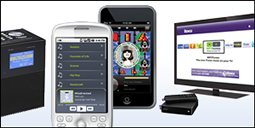
Check out all the ways to play your MP3tunes Locker


Net Radios

Enjoy a channel of your own Locker music along with thousands ofstations from around the world. Lots of stylish models from which to choose!


Mobile Devices

SelectRadio

Access your Music Locker on your Windows Mobile capable phone with Select Radio 4.0

MP3tunes/m

Got mobile? Try this simple interface on your web-capable mobile phone to stream your Music Locker collection.


Car Devices

Clarion

The Clarion MiND is a unique portable GPS unit for your car featuring exclusive integration with the MP3tunes Locker.

More cool devices

Thanks to our open music API, there are many ways to enjoy your music and video everywhere!

http://www.mp3tunes.com/screenshots/

Wednesday, July 22, 2009

Check out the new Slideshow feature at MP3tunes!


MP3tunes has developed a really cool feature that allows you to watch a slideshow of your favorite artist or band, while listening to their music in your MP3tunes Locker.

You're going to love this new feature! Click here to check it out.